Annotate → Learn.
That's it.
Mark up your PDFs. Learn with spaced repetition. Everything in one app — no flashcard creation needed.
✓ 500 MB free storage ✓ Works on any device ✓ Dark mode included
Stop Wasting Time on Flashcard Creation
The Traditional Way
- ✗ Open PDF in one app
- ✗ Switch to flashcard app
- ✗ Create card, copy-paste both sides
- ✗ Repeat 100+ times...
- ✗ No link back to source material
~2 min / card
100 cards = 3+ hours wasted
The Lernation Way
- ✓ Upload PDF
- ✓ Highlight what matters
- ✓ Switch to Review
- ✓ Done. Spaced repetition handles the rest.
- ✓ Every card links to its PDF source
~3 sec / card
100 cards = 5 minutes
40× faster
More time studying. Less time organizing.
From PDF to Mastery — All in One Place
Annotate, practice writing, reveal & rate — with cloze deletions, hints, and a built-in scratch pad. No flashcard app needed.
Annotate & Add Notes
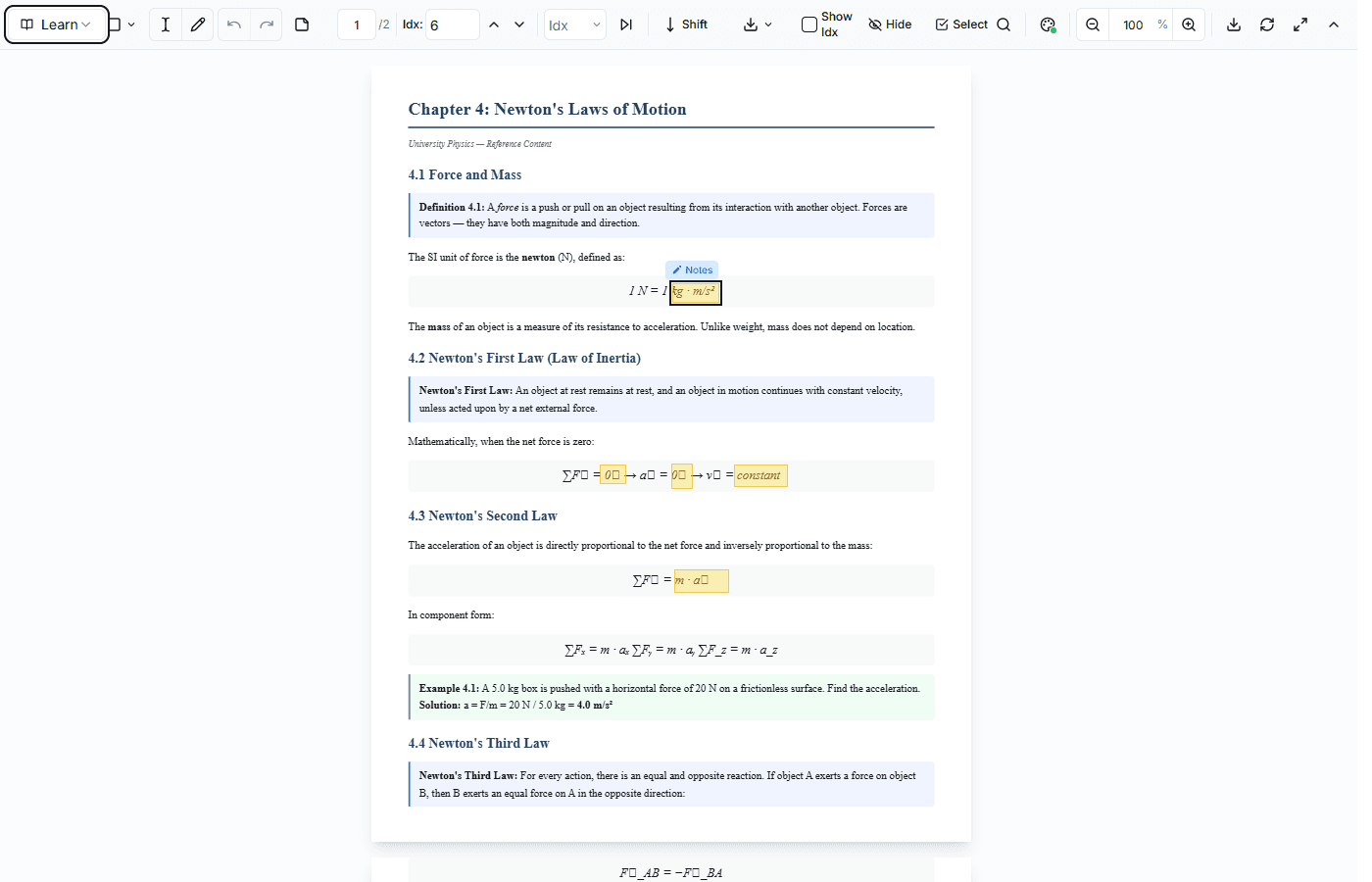
Highlight text, draw areas around formulas, or select any part of your PDF. Add rich notes, hints, tags, and cloze deletions — each annotation becomes a flashcard automatically.
- Text selection, area drawing, freehand
- Add notes, hints, and cloze deletions
- Hierarchical indexing (1, 1.1, 1.2, ...)
Write, Recall, Compare
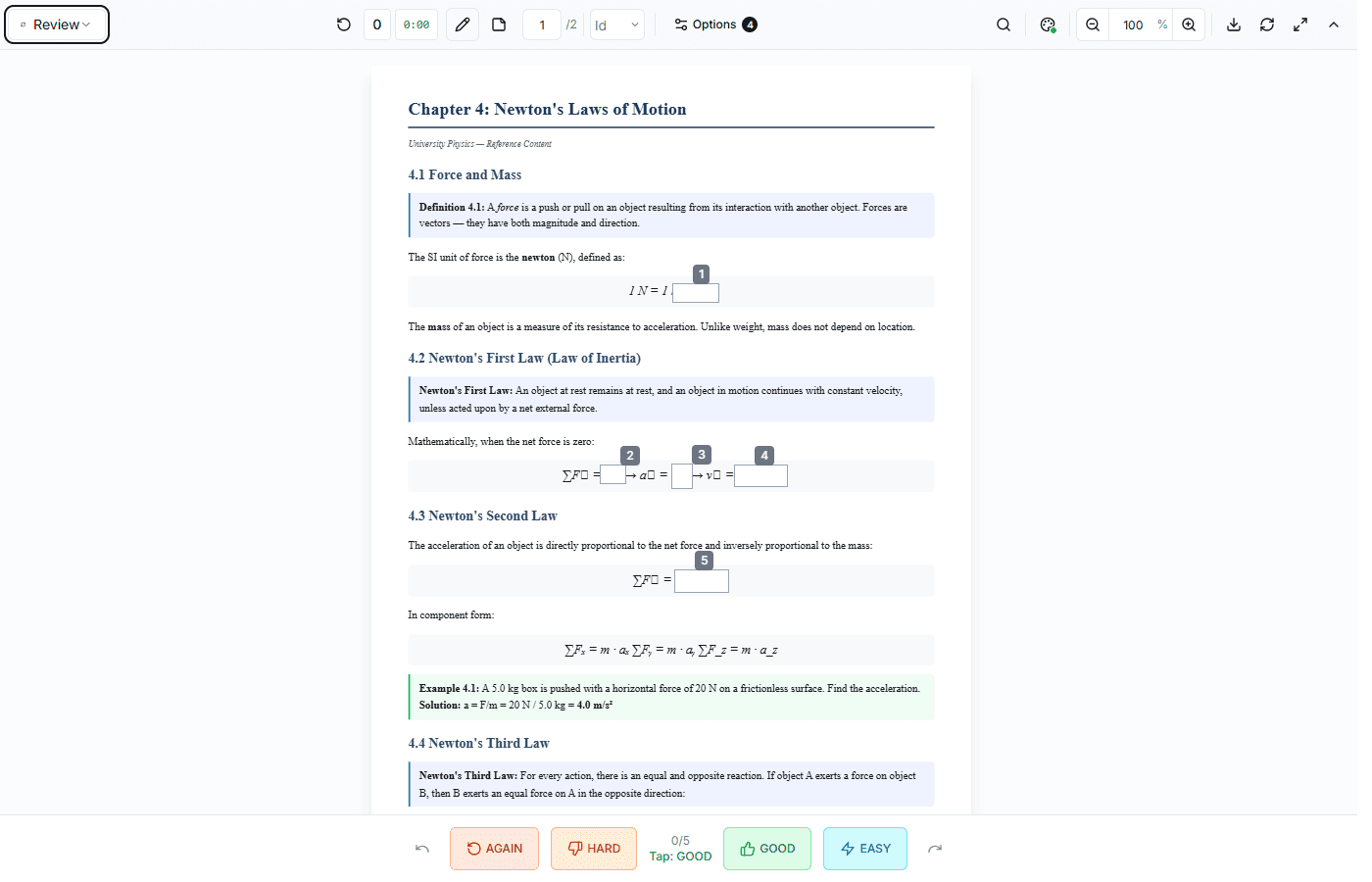
Annotations are hidden. Use the built-in scratch pad to write your answer — formulas, definitions, diagrams. Then reveal the original and compare. No switching between apps.
- Built-in scratch pad for writing answers
- Hints available if you get stuck
- Type or draw — whatever works for you
Rate & Let the Algorithm Handle the Rest
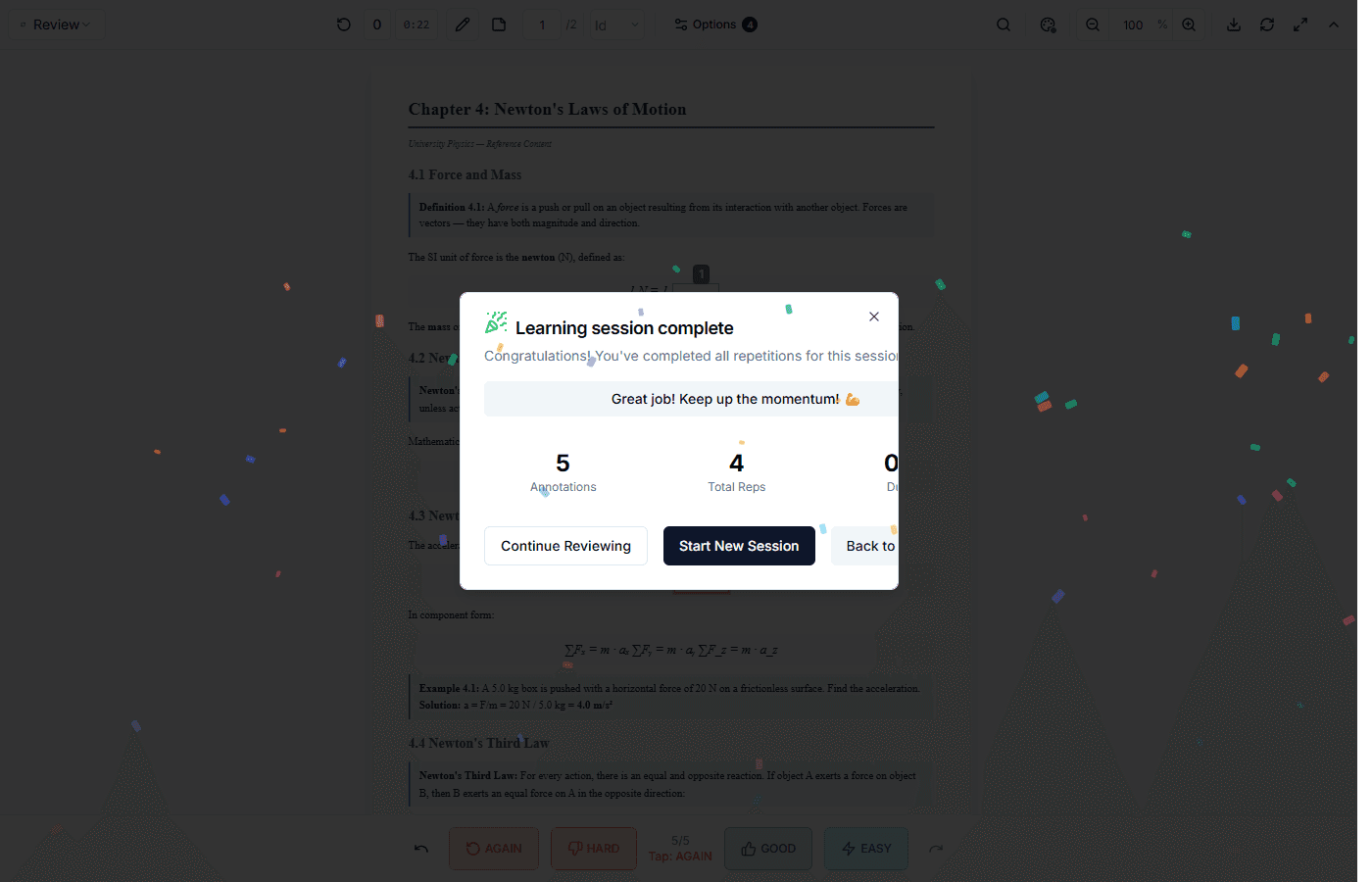
Rate each card (Again / Hard / Good / Easy). The FSRS algorithm schedules your next review at the perfect time. Focus on what you got wrong. Skip what you already know. Study less, remember more.
- FSRS-6 algorithm (proven by research)
- Study ranges: focus on specific chapters
- 7-day review forecast and statistics
Everything You Need to Study Smarter
PDF Reader
Smart Annotations
FSRS Algorithm
Learn more →Study Ranges & Depth
BFS / DFS Learning
Sequential Mode
Learn more →Smart Reminders
Source Links
Cheatsheet Builder
Per-Document Analytics
Anki Import & Export
Share Documents
Study Streaks
Offline Learning
Mobile-Friendly
FSRS + Study Ranges + Depth Control
The only app that combines spaced repetition with precise control over what you study.
Study Ranges
Set "From" and "To" indexes to focus on specific chapters. Study 2.1 to 4.3 without distractions.
Max Depth
Limit depth to learn only main topics (level 1) or include sub-topics (levels 2, 3...).
Custom Weights
Import your trained FSRS weights from Anki. Your optimized algorithm, our annotation power.
"I used to spend more time making flashcards than actually studying. Now I just annotate and learn."
— Built by a student, for students
Ready to Study Smarter?
Join students who've discovered a smarter way to learn from their study materials.